Every button opens one page. This chapter takes them one by one, with a key map for each.
On the key maps, highlighted keys do something on that page; labels are the firmware's own, and each key carries its light: bright, half-lit or pulse (5.5).
RHYTHM CONDUCTOR is the coordinated playing screen: the song, its sections as buttons, and KIT A, KIT B and Dillo. EDIT opens the SONGS, ERAS and PRESETS list.
When you return to Conductor from SONG playback, the three players show their sources from the current arrangement row. A working part keeps its source name and is marked with an asterisk on the unit or Working in the browser. Stopping keeps the loaded row visible.
In the browser, Current parts repeats the three players’ songs and sections in text. On a phone, it sits just below the Sections keys. Next at the bar names the queued destination and who will move. The current parts stay visible while the cue waits. For a rhythm combination, it lists the rhythms each drum kit is playing and the lead section Dillo follows. To redirect one player in the browser, choose a player and any section in the current song or rhythm bank below Current parts, then press Queue redirect. You can choose a section from another page without moving the panel grid. Use Cancel cue to keep the current parts playing when a cue is waiting.
Tap HOME to return to the selected instrument. Turn SELECT there for RHYTHM CONDUCTOR, BIG BEAT or DILLO; PLAY on the song list loads all three players and returns to the Conductor.
the song list
on screen

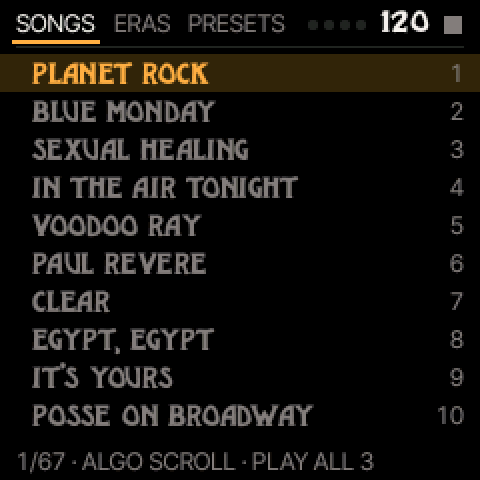
songs, eras, presets
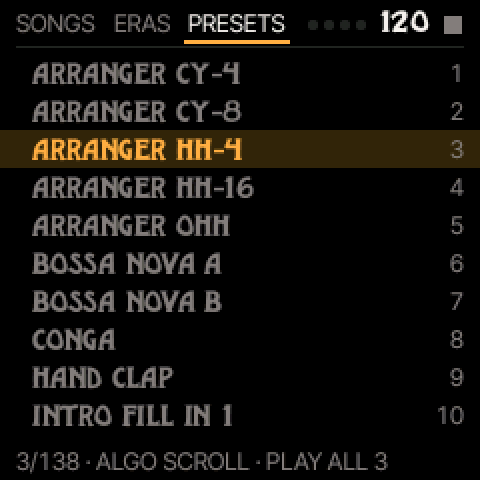
SONGS lists the 67 named songs, numbered 1–67. ERAS lists the 21 eras. PRESETS lists all 138 rhythms in one list. Pick a rhythm to load it on all three players. Rhythm Conductor then shows the other rhythms from the same machine.
On TR-77, A and B distinguish the two Bass rhythms and the two Bass & Snare rhythms.
Dillo's ACID phrases are on Dillo's PATTERN page (9.5).
eras
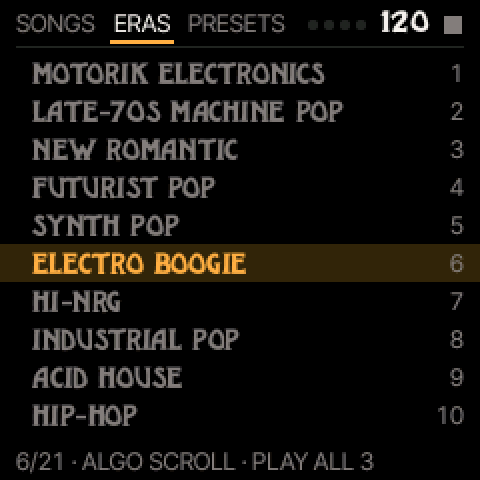
change one later
A song always loads KIT A, KIT B and Dillo together. To make your own combination, select a player afterward and choose its PATTERN independently.
rhythm conductor
on screen

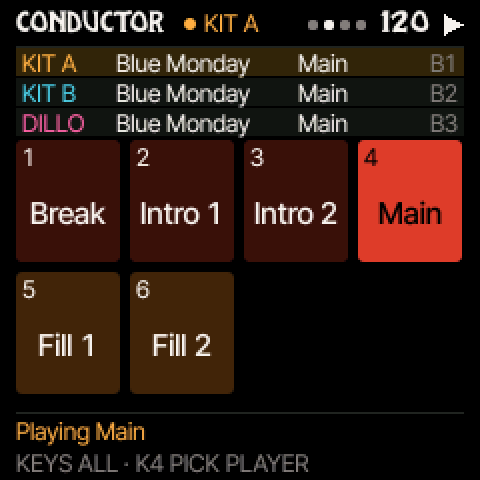
waiting for the bar
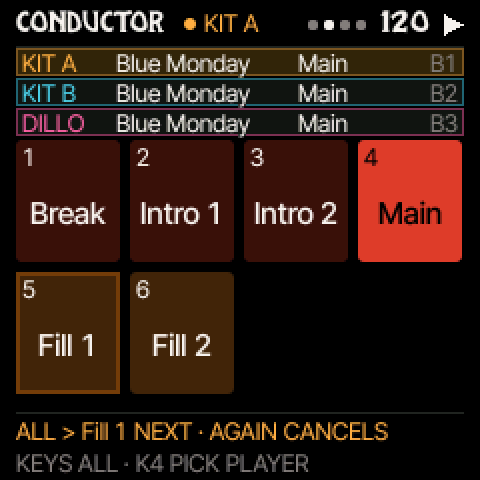
A queued section pulses, on its button and its key, and the line under the buttons says so. If you turn to another page while a single section is queued, the status keeps the section name and says who will move next. Long names are shortened to fit, with the name taking priority over the cancel hint.
stopped
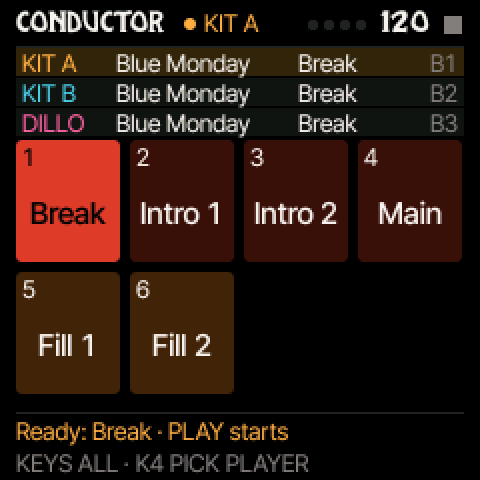
Stopped, the line reads Ready: and the section; PLAY starts it.
muted
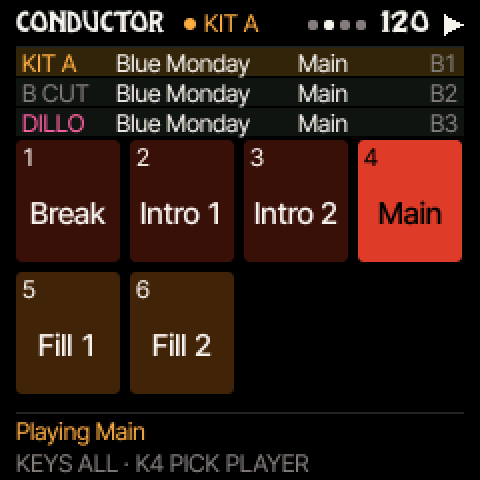
CUT means the player is muted. OFF means the drum kit is disabled. SOLO identifies the player you isolated. Hold REC and press its black key again to clear the solo. For an OFF kit, select its deck in Big Beat, then hold REC and press ARP.
mixed songs
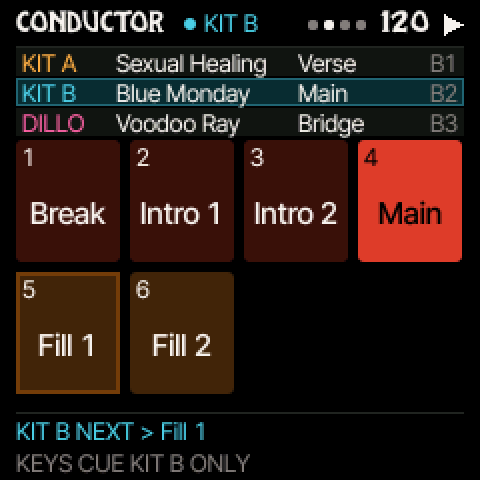
Here only KIT B has a section queued. KIT A and Dillo keep playing the songs and sections shown on their rows.
all or nothing
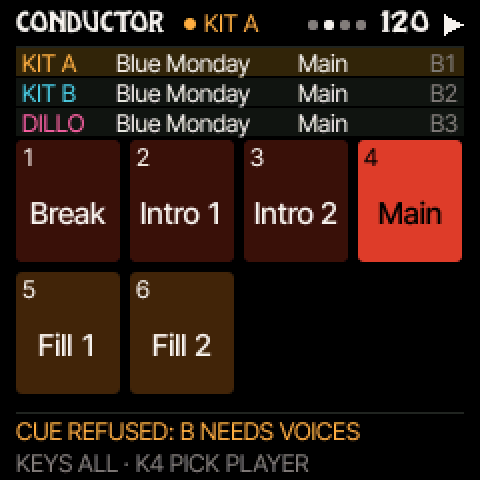
If one player cannot play the section, nothing changes and the screen names it: CUE REFUSED: B NEEDS VOICES. A cue that could not be ready in time says MISSED THE BAR; the music carries on.
names always fit
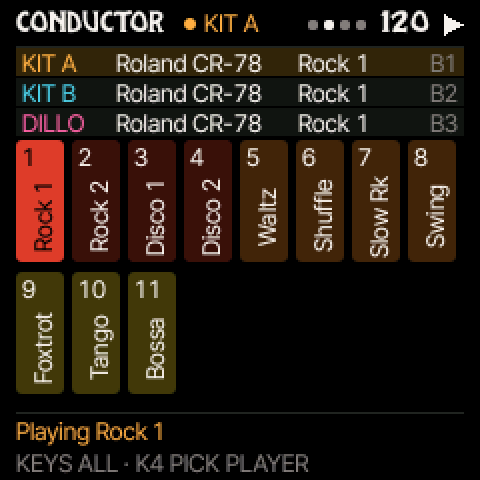
One to four sections make one row of tall buttons, five to eight two rows of four, nine to sixteen two rows of eight. A long name turns on its side (read bottom to top), or takes a fixed short form; no letter is ever cut.
the last page of the tr-66
on screen

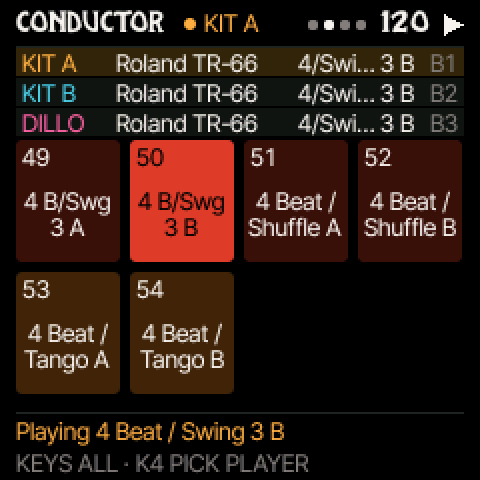
every section has a key
Roland TR-66 has 54 rhythms: OCT+ three times shows 49–54 on keys 1–6, and the rest stay dark. The CR-8000 has 43 on three pages.
song playing
While the SONG arranger plays an arrangement, the section keys are off and say SONG PLAYING.
| the song list | does |
|---|---|
| 1-16 or ALGO | Move the cursor on this page of the list. OCT− OCT+ turn the page. |
| song cues | The marker stays with the current band song until the change. The next song pulses on its title and key. |
| B5 B6 B7 | SONGS, ERAS or PRESETS: the tab shown is bright and underlined on screen. |
| PLAY | Loads the song's initial section on KIT A, KIT B and Dillo, all together, with the song's own tempo and swing; then RHYTHM CONDUCTOR. It starts if stopped and keeps playing if already running. If BB1 is too busy it says BUSY - RETRY and changes nothing. |
| EDIT | CHOOSE: loads it the same way without starting (on the next bar if already playing), then RHYTHM CONDUCTOR. |
| HOME | To the selected instrument without choosing. |
| K1-K4 | On the song list: DRUM A, DRUM B, DILLO and FX RET. On RHYTHM CONDUCTOR: the first three mix those players and K4 is SCOPE. |
| rhythm conductor | does | |
|---|---|---|
| 1-16 | Press a section key to cue all three at the next bar. To move just one player, select it with K4, then hold REC and press the section key. | |
| OCT− OCT+ | The next sixteen sections; the screen says SECTIONS 17-32, and so on up to SECTIONS 49-64. Keys past the song's last section stay dark and do nothing. | |
| B1 B2 B3 | Mute KIT A, KIT B or Dillo. Hold REC to solo one player. Repeat that gesture to end the solo and restore the previous mix, including any layer that was off. Press its black key without REC to mute that player and bring the others back to their previous mix. These keys never change the section scope. | |
| B4 | Stop, then press the lit BAND key to preview the current three parts in SONG ADD. Press EDIT to add the row. | |
| K4 | SCOPE: ALL, KIT A, KIT B or DILLO. It picks the player for a REC + section redirect. Plain section keys always cue the whole band. If you turn K4 and press a section key with REC in the same instant, only the scope changes. Release the section key and press it again once the target is visible. HOME restores ALL. In the browser’s Controls view, the K4 row shows All Three or the current REC target. With a computer keyboard, hold Shift and press Left or Right to turn K4. | |
| change your mind | Press another section before the bar and the newest wins. Press the pulsing key again, or the one that is playing, to cancel. PLAY to stop cancels too: CANCELLED BY STOP. | If the bar comes before a cancel can land, the section plays and the screen says TOO LATE TO CANCEL. |
| SELECT | On this landing, chooses RHYTHM CONDUCTOR, BIG BEAT or DILLO and changes the visible instrument. K4 controls local player scope inside the Conductor. | |
| EDIT | Back to the song list. | |
| ARP SEQ | Open PLAY or STEPS. |
PLAY · ARP turns the keys into drum pads, or Dillo's keyboard.
key map
on screen

read the pads
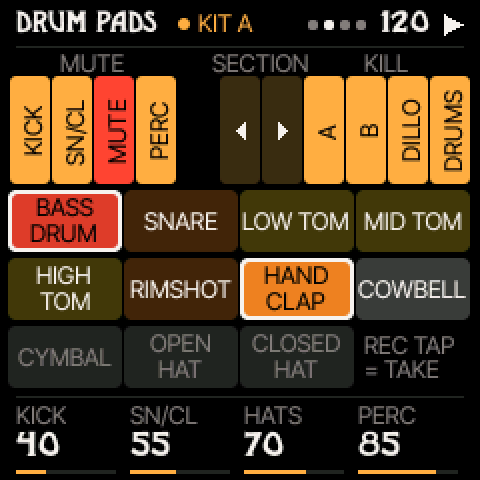
Read the pad grid like a book, left to right across each row, then down. The eleven named pads match the first eleven white keys from the left. The row of controls above them matches the black keys. Pad colours group the voices; flashes follow pattern hits or your fingers. The phone player names the pads for the kit you are playing.
When the top strip gives a reason why this kit is silent, its pads stay dim. On Drum Pads, a muted kit can be restored with B8 for Kit A or B9 for Kit B. You can still select a voice with a pad while its kit is off. Hold REC and press ARP to switch the kit on and hear it.
On the Big Beat landing, S/C is the snare and clap group. Under KILL, DIL cuts Dillo and A+B cuts both drum kits.
On the Big Beat landing, black key B5 marked A/B switches which kit you play and edit. A pad hit as you switch goes to the new deck. Both kits keep their on or off state. Tap REC for TAKE, or press SEQ for Steps. The final tile shows the current and total bar as Bn/N.
The browser group mix beside the pads shows the gain setting and mute or solo state for Kick, Snare / clap, Hats and Percussion on the selected deck. Its buttons use the same group controls as the panel.
In the browser, use the Drum A and Drum B buttons above the pads to choose which kit to play. The browser sound notice on Pads and Steps lets you enable or unmute the selected kit, clear an instrument solo, or raise a zero kit level. Enabling an off deck preserves its mute setting. Steps also offers Enable sound at 20% when the browser volume is at zero. On a phone, the function keys name their current actions. Hold REC to see which keys switch from mute to solo.
dillo on play

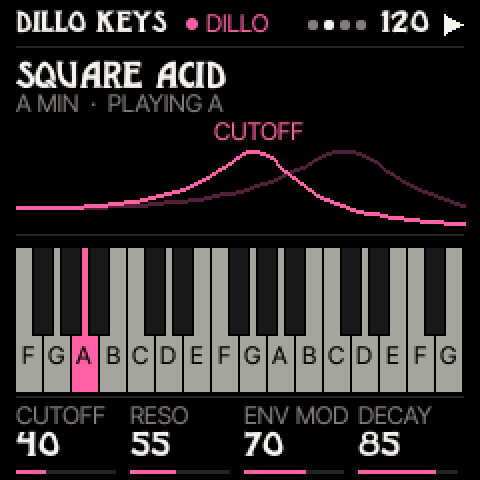
With DILLO selected the keys play notes; OCT− OCT+ move them up to two octaves either way, and SCL steps through OFF, MINOR, MAJOR, DORIAN and PENTA.
The keyboard shows the notes under your fingers. Above it, the filter curves respond to cutoff, resonance and envelope settings.
Knobs: CUTOFF, RESO, ENV MOD, DECAY.
| control | does |
|---|---|
| 1-11 | Pads: kick, snare, low, mid and high tom, rim, clap, cowbell, cymbal, open hat, closed hat. Hold REC for an accent. |
| B1-4 | Mute KICK, SN/CL, HATS or PERC; with REC, solo. |
| B6 B7 | Previous or next section, on the bar. |
| B8-11 | Kill DRUM A, DRUM B, DILLO or ALL DRUMS. |
| K1-K4 | KICK, SN/CL, HATS and PERC group levels. If a group shows 0%, turn its knob up. Its pads stay dim at zero. |
| SCL | Swing on or off: SWING ON, SWING OFF. |
STEPS · SEQ writes a pattern step by step on the white keys.
key map
on screen

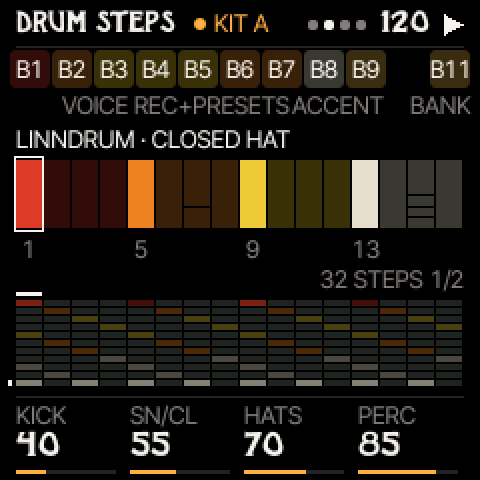
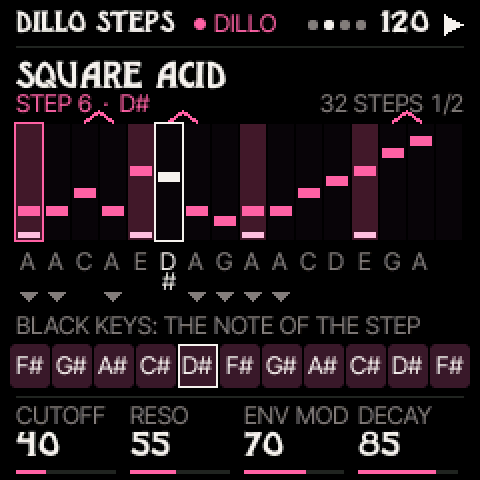
read the drum steps
The machine and selected voice stay named above sixteen tall step keys. The smaller rows beneath show the other drum lanes; divisions within a step show ratchets.
The line below the numbered keys shows the total pattern length. On longer patterns, 2/2 means bank two of two, and PLAY 1 means the first bank is playing. Keys and columns after the last step go dark.
In the browser, the line above the Drum A or Drum B voice list repeats the visible step range and total pattern length on every layout. Choose any voice below it; the first eight black keys also show their actual voice names. Choosing a voice keeps the current step bank and does not write a hit. Use Hear voice to audition it through the current drum mix without adding a step or recording it.
On a phone, the touch keys show the actual step numbers. The heading gives the visible range and the total length. A dash means that key is outside the pattern.
When you edit a playing catalogue drum pattern, the grid shows the change straight away. While the screen says STEP QUEUED, you still hear the old pattern. At the next loop, STEP APPLIED confirms the change. The browser panel repeats that distinction beside the visible step range as Edit queued or Edited pattern playing. Hold REC and press EDIT to undo it.
read Dillo steps
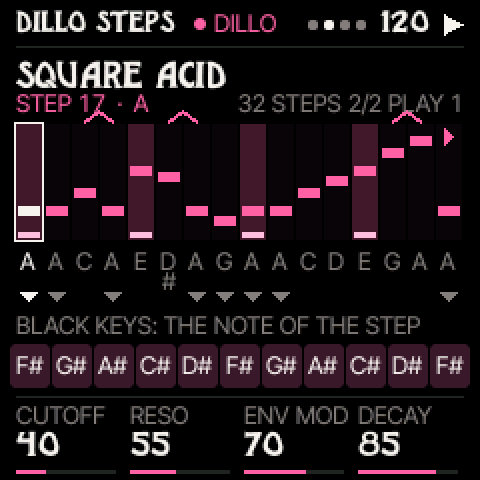
Pitch bars show the notes, arcs join slides, and accent marks show emphasis. A right arrow marks a slide into the next bank or back to the start of the phrase. The black-key row names the pitches available for the selected step. The readout gives the phrase length and which 16-step bank is open. Keys after the last step stay dark. The selected step number counts from the start of the phrase. PLAY 1 means the phrase is playing in bank 1 while you edit another bank.
visible steps but no sound?
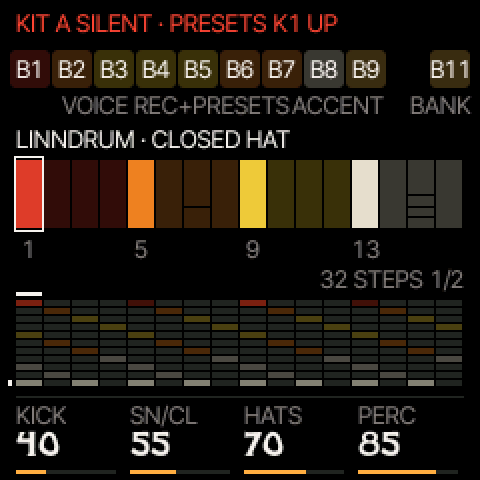
The top strip says why and names the recovery: turn MASTER up; use REC + ARP for a layer that is OFF; follow the named mute key route for a MUTED part (COND means Rhythm Conductor); or raise that instrument with PRESETS K1. A short action message temporarily replaces this reason.
BB1 removes the old hidden shared drum level when it opens a scene: its gain is folded into the visible Kit A and Kit B levels, so silence always has a control you can reach.
| control | does |
|---|---|
| 1-16 | Steps 1–16 of this bank, for the selected voice. |
| B1-8 | Quick-select the first eight voices. The selected voice is named beside the drum machine above the steps. |
| REC + PRESETS | Hold REC and turn PRESETS to reach the rest of the voices without leaving Steps. The screen labels this shortcut above the voice name. |
| B9 | Hold to write accented steps. |
| B10 B11 | Previous or next bank. |
| hold a step + K4 | Ratchet x1–x4. |
| hold a hit + K2 | NUDGE moves an occupied drum step from −8/16 to +7/16 of one step. Release the key to queue it. |
| Dillo: B1-11 | Pitch keys light when you select a note in the bank on screen. REC + PRESETS also changes that note. EDIT sets the step type: GATE, ACCENT or SLIDE. |
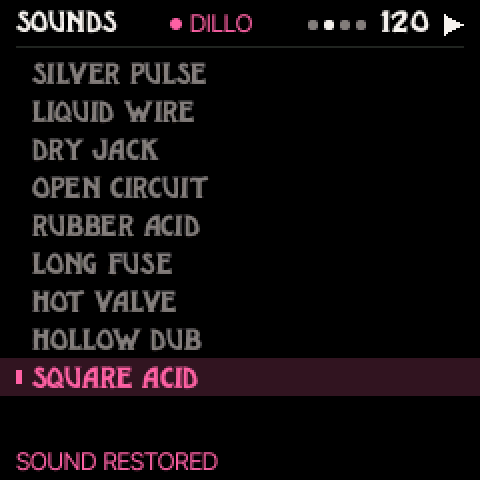
KIT · PRESET is the full-screen list of kits for KIT A or KIT B, or Dillo's sounds (PATCH · PRESET): ten rows, the playing one marked, the white key of each row on the right, and one line at the bottom. Turn a knob and its value shows at the bottom for about a second.
key map
on screen

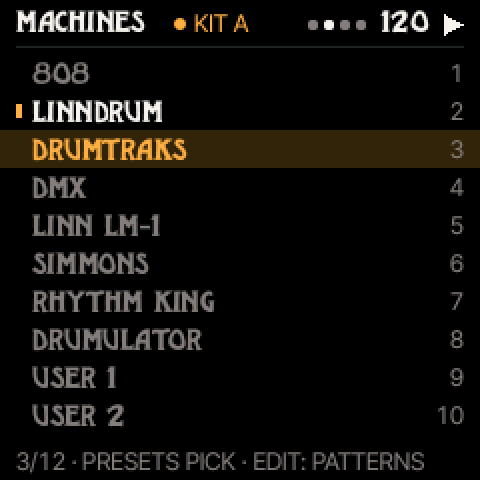
the list
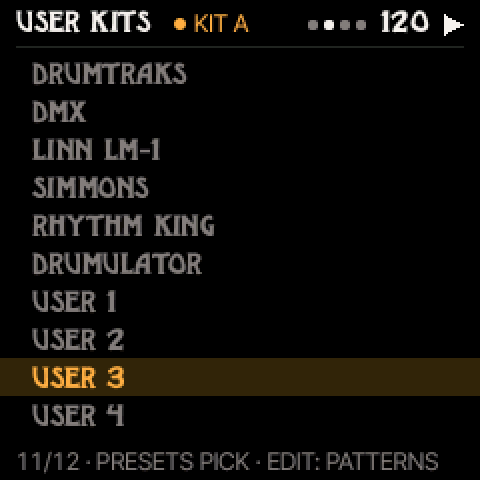
Drums: 808, the seven sampled machines and, on KIT A, USER 1–4.
The bottom line counts the list and names the controls: turn PRESETS to scroll and press EDIT to keep the sound. It reads LOADING while a sound is on its way.
dillo sounds
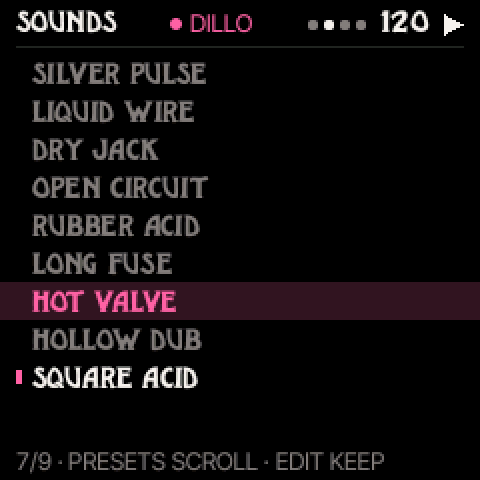
On DILLO the page is PATCH: the nine Dillo sounds, without key numbers, because the keys stay notes so you can keep playing while you choose.
Turn PRESETS and the sound under the cursor loads about a third of a second (350 ms) after you stop turning; sounds you scroll past are not loaded, and held notes keep sounding.
EDIT (KEEP) loads it now and stays on the page; SOUND KEPT shows once the new sound is playing. HOME puts back the sound you had before you started turning, your own edits included: SOUND RESTORED. Leaving any other way keeps the new sound.
OCT− OCT+ move the keys an octave, as on PLAY.
dillo patch keys
home restores
| control | does |
|---|---|
| PRESETS | Move through the list. |
| 1-16 | Pick straight from this page of the list. |
| OCT− OCT+ | The previous or next page of the list. |
| EDIT | Drums: CHOOSE, then confirm a pattern. Dillo: KEEP. |
| B1 | KIT A only: BUILD, the kit builder (chapter 11.6). |
| K1 | Layer level. |
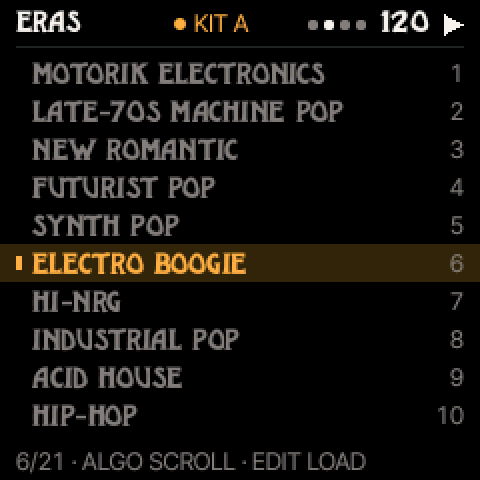
PATTERN · ALGO is the list of patterns for the selected player: ERAS, then SONGS, and on Dillo the 27 ACID banks after them. It works only on that player; the song list (9.1) moves the band.
key map
on screen

substitutions
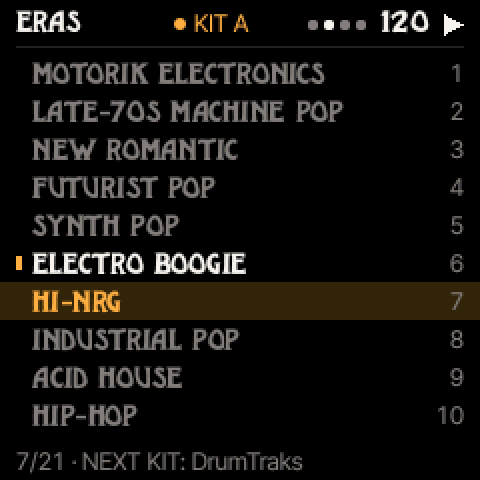
If the kit lacks a voice the pattern asks for, the bottom line names the swap, for example SUBST SY>CB +1; a kit waiting for the bar reads NEXT KIT: and its name.
acid
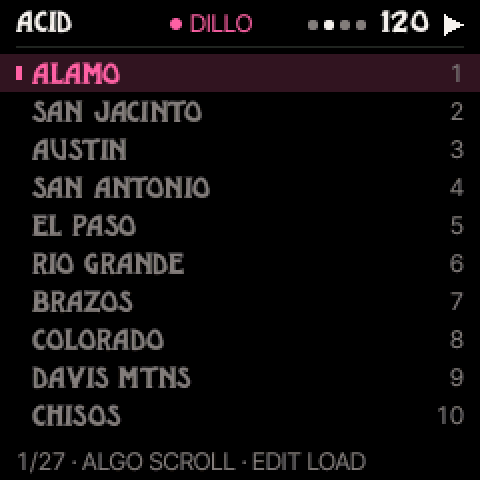
On DILLO the list carries on from SONGS into ACID: 27 banks, 205 phrases.
| control | does |
|---|---|
| ALGO | Move through the list, from one collection into the next. The status strip names ERAS, SONGS or ACID; the bottom line shows your position and says ALGO SCROLL. REC + ALGO queues the next section of what plays. |
| 1-16 | Pick from this page of the list. |
| B1-11 | Launch a section of this player's pattern, on the bar. REC + OCT− OCT+ page the keys, up to section 55. |
| EDIT | CHOOSE: load it, on the bar while playing. Stopped, PLAY confirms and starts. |
| K1-K4 | Drums: LEVEL, TUNE, DECAY, SWING. Dillo: CUTOFF, RESO, ENV MOD, DECAY. |
SOUND · ENV shapes the selected drum voice, or Dillo.
key map
on screen

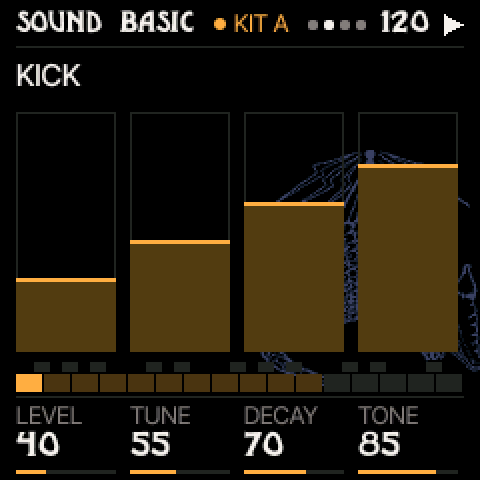
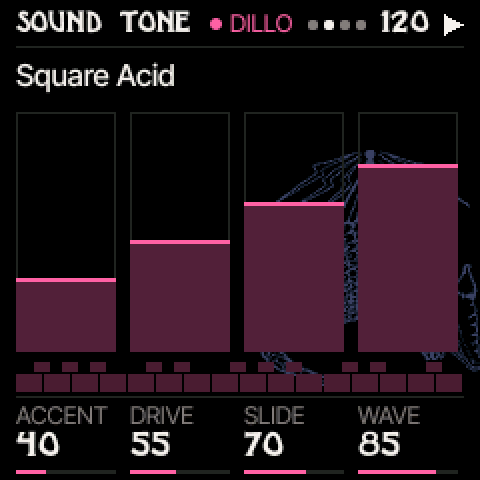
| control | does |
|---|---|
| 1-11 | Choose the drum voice. |
| OCT− OCT+ | BASIC or COLOUR knobs. |
| BASIC K1-K4 | LEVEL, TUNE, DECAY, TONE. |
| COLOUR K1-K4 | Depends on the voice: kick TONE, ATTACK, DIST, LEVEL; snare TONE, SNAPPY, DIST, LEVEL; toms MODE, DRIVE, DIST, LEVEL; clap MODE, ATTACK, DIST, DRIVE; the rest DIST, TUNE, DECAY, DRIVE. |
| Dillo K1-K4 | ACCENT, DRIVE, SLIDE, WAVE; the keys play notes. |
| REC + ENV | Back to the preset: SOUND BACK TO ITS PRESET. |
FX holds the tape echo and the spring on five named tabs: ECHO, TAPE DRIVE, SPRING, MOTION and SENDS.
White keys 1–5 choose a tab, the bright one is shown, and the tab row on screen names them. OCT− OCT+ step through them. FX opens on the tab you used last.
key map
read the effects
ECHO lays out the selected delay heads and their repeats against four beats. TAPE DRIVE, SPRING and MOTION draw the effect settings; SENDS shows each player feeding echo and spring. These pictures respond to the controls; they are not recordings of the audio output.
echo

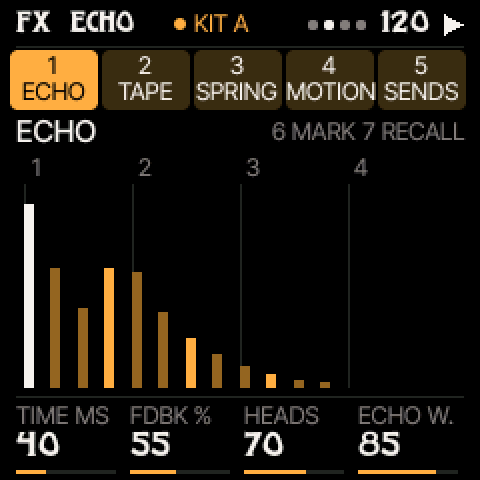
K4 ECHO WET is how much echo you hear, on every tab but SENDS.
tape drive

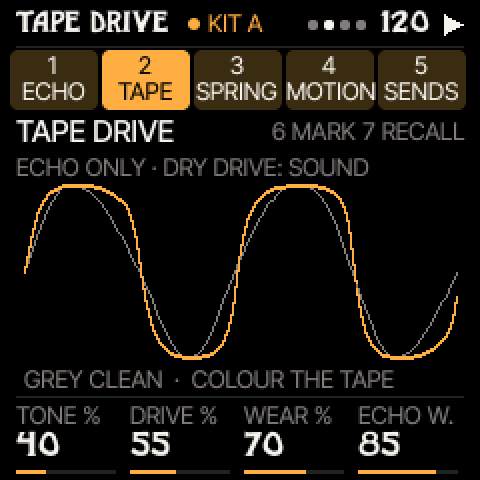
TAPE DRIVE saturates the echo's repeats only; the dry sound never passes through it. The screen says so: ECHO ONLY · DRY DRIVE: SOUND.
Dry drive is on SOUND: Dillo's DRIVE, and DRIVE and DIST on a drum voice's COLOUR tab.
spring

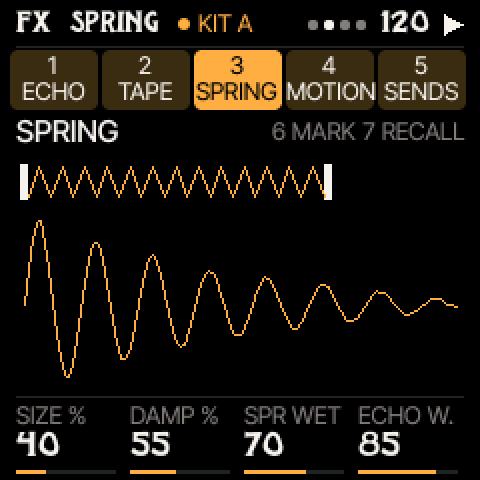
SPR WET is how much spring you hear.
sends

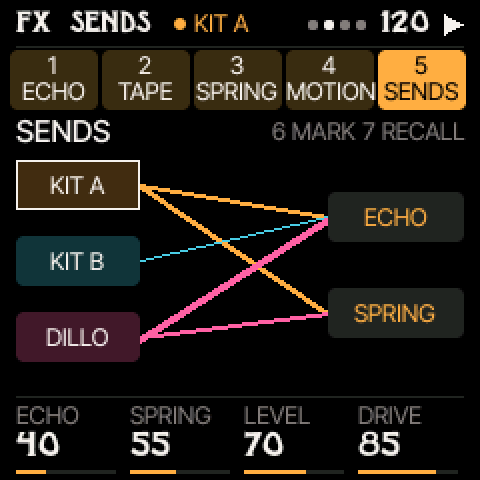
SENDS sets how much of the selected player goes to the echo and the spring.
mark and recall
Press white key 6 on FX to mark the current echo and spring settings. Change the sound, then press 7 to recall the mark while the music keeps playing. The instrument sends stay where you set them. The mark lasts until restart.
dub throw
REC + FX, held: the echo opens wide while you hold, then snaps back. The FX pages keep the effect controls together.
| tab | K1 | K2 | K3 | K4 |
|---|---|---|---|---|
| 1 ECHO | TIME MS | FDBK % | HEADS | ECHO WET |
| 2 TAPE DRIVE | TONE % | DRIVE % | WEAR % | ECHO WET |
| 3 SPRING | SIZE % | DAMP % | SPR WET | ECHO WET |
| 4 MOTION | MOTION % | WEAR % | FDBK % | ECHO WET |
| 5 SENDS | ECHO | SPRING | LEVEL (drums) | DRIVE (drums) |
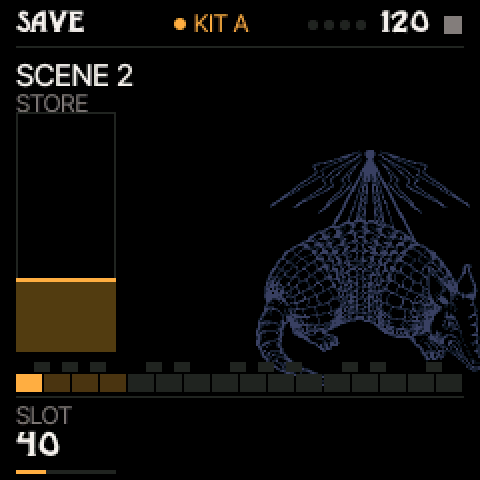
SAVE keeps the whole setup in one of four scenes.
key map
on screen

| control | does |
|---|---|
| 1-4 or K1 | Choose scene 1–4. |
| EDIT | STORE, while stopped. |
| REC + 1-4 | Load that scene, while stopped: LOADED / PRESS PLAY. |
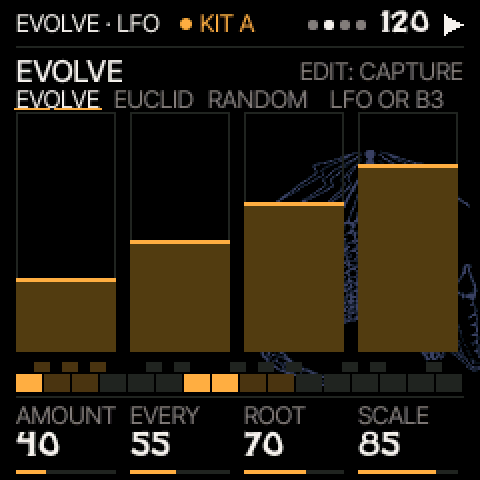
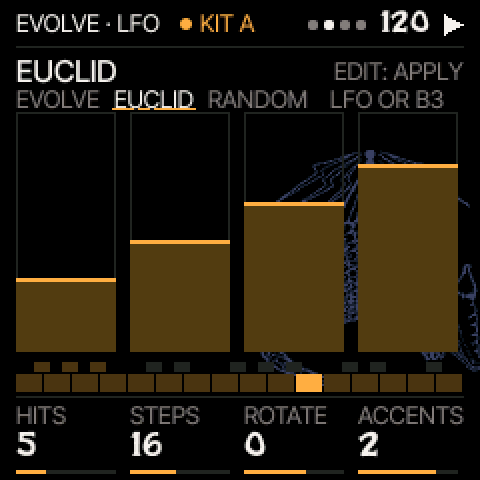
EVOLVE · LFO lets a pattern wander and come home, or generates new ones. LFO opens it; each further press steps the mode: EVOLVE, EUCLID, RANDOM. The mode is the title, with the three as tabs.
key map
on screen

| control | does |
|---|---|
| LFO or B3 | The next mode, without changing the music. The tab row reads LFO OR B3. |
| 1-3 | EVOLVE: parts to evolve, KIT A, KIT B, Dillo; bright when chosen. |
| 7-10 | EVOLVE: what may change, rhythm, pitch, accent, slide; bright when allowed. |
| 1-16 in EUCLID | On drums, the voice it writes; bright on it. RANDOM uses no white keys. |
| K1-K4 | EVOLVE: AMOUNT, EVERY, ROOT, SCALE. EUCLID and RANDOM: their own settings (chapter 11.4). |
| B1 B2 | FREEZE, RETURN. |
| EDIT | EVOLVE: CAPTURE, what plays becomes home. EUCLID and RANDOM: APPLY, the generator's pattern. |
| REC + white key | Lock that step, in every mode; bright when locked. |
| REC + LFO | EVOLVE on or off. |
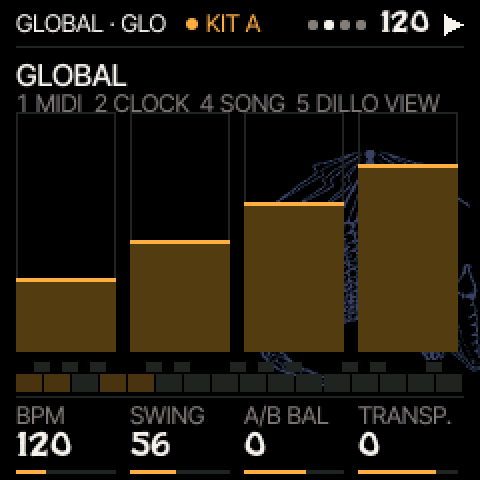
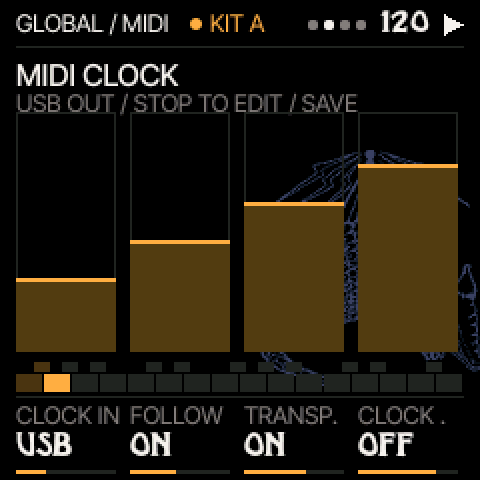
GLOBAL · GLO sets tempo, swing, the A/B balance and Dillo's transpose, and opens the MIDI pages.
key map
on screen

| control | does |
|---|---|
| K1 | BPM, 30 to 300. |
| K2 | Swing, 50 to 75 % in half steps. |
| K3 | A/B BAL: turn right for more KIT B. |
| K4 | TRANSPOS: Dillo's pattern, up to 48 semitones either way. |
| 1 2 | MIDI CHANNELS and MIDI CLOCK (chapter 13). There, B1 or HOME goes back, and EDIT or SAVE keeps the settings. |
| 4 | The SONG arranger (9.11). |
| 5 | With KIT A or KIT B selected: the drum view, which voices are triggering. HOME or GLO leaves. With DILLO selected it is off. |
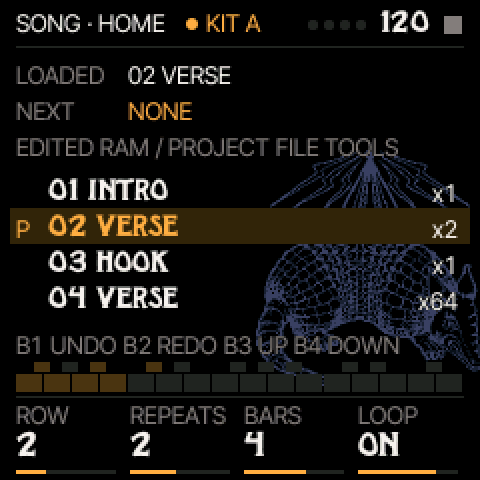
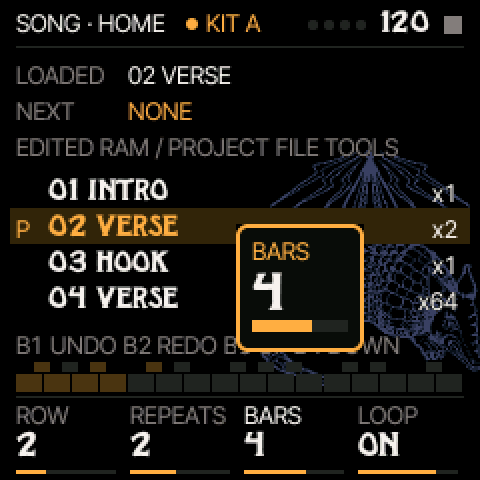
SONG · HOME arranges sections into rows and plays them in order. GLO then white key 4 opens it.
The line below the rows lists key shortcuts. When a delete is pending, it shows EDIT to confirm and HOME to cancel.
PLAYING, LOADED and NEXT name the row number as well as the section, so copies of the same section are easy to tell apart.
At the end of a longer song, the list keeps the last four rows in view.
The count at the right of each row shows how many times that section plays. Turn K2 to change the selected row's repeat count.
key map
song

a row turned
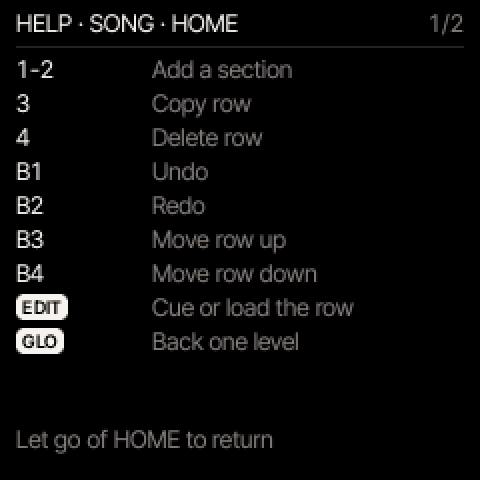
help
add
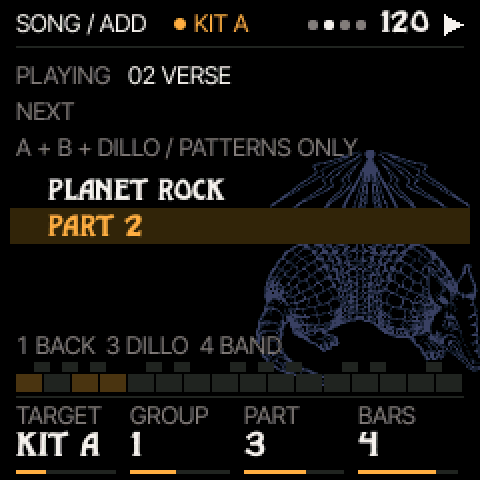
ADD: K1 TARGET, K2 GROUP, K3 PART, K4 BARS; ALGO the source bank. Key 3 plays the section without Dillo; key 1 goes back.
add the Conductor band
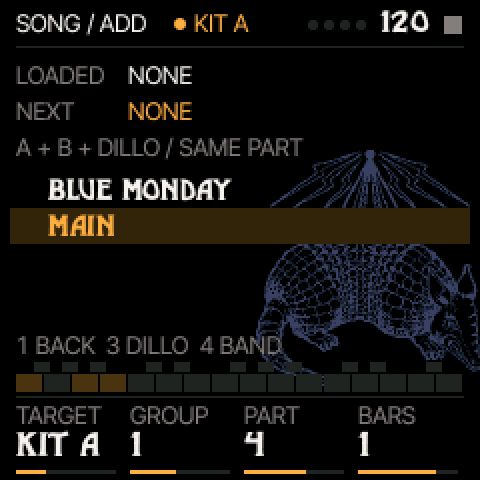
Stop playback in Conductor and press B4 BAND to stage the patterns last applied to Kit A, Kit B and Dillo. You can also open GLO > white 4 > ADD, then press white 4 BAND. Press EDIT to add the row.
In the browser, stop and choose Stage band for song under Current parts. The same BAND preview opens with all three staged parts and the row length in view. Combined and working patterns are marked, and an excluded Dillo shows No part. Choose Add row below the preview, or press EDIT. Use Play song on the row list to hear the arrangement.
ADD shows A + B + DILLO / SAME PART when all three use the same catalogue section. An asterisk beside a player means BAND will add its edited or combined pattern. Choosing another source clears the asterisk for that player.
BAND keeps individual redirects and drum combinations. ADD shows COMBO for a kit playing a combination. Choose a different source for a kit to replace its combination with a single pattern.
Identical edits or drum combinations from the same catalogue source share one working part across SONG rows.
BAND sets the row length from the last whole-band section. A redirect keeps its own pattern length. Turn K4 to change the row length.
BAND saves applied edits from both drum kits and Dillo. Rhythm Conductor keeps the source section visible and marks parts edited since their last recall with an asterisk.
While playback is running or a cue is still pending, BAND leaves your ADD choices in place.
the project’s starting sound
Play or load a SONG row while stopped to hear it. In the browser, Save project keeps the starting scene when all you changed was the playback or the row order.
The browser marks a direct save complete after the file closes. Any later edits stay marked in RAM. If it requests a download instead, check Downloads for the file.
move a browser project to another build
While playback is stopped and controls are idle, the browser can keep a recovery copy in this tab. Playing or editing takes priority over the automatic backup. After a reload, choose Recover tab edits. Save a .bbp2 file for a copy you can keep outside the tab.
Stop playback. Open the .bb1bundle in the browser player it was made for and choose Save project to create a separate .bbp2 copy. Open that copy in the newer player and keep the original bundle.
The browser’s project file is separate from an FM-1 scene or USER-kit backup.
| control | does |
|---|---|
| 1 2 | ADD: pick a pattern for KIT A, KIT B and Dillo, then EDIT adds it as a section. |
| 3 / 4 | COPY the row; DELETE it. Key 4 pulses until EDIT confirms; HOME cancels. Both are off until the song has rows. |
| B1 / B2 | Stop playback to undo or redo an arrangement edit. Each key goes dark when there is no edit to undo or redo. |
| B3 / B4 | Move the selected row up or down, even during playback. The current row and the queued NEXT row finish as scheduled. The song then follows the new order from NEXT. Stop to undo the move. |
| K1-K4 | ROW, REPEATS (1–64), BARS (the section's length), LOOP. |
| EDIT | LOAD while stopped, CUE while playing: NEXT SECTION QUEUED, then SECTION APPLIED. |
| PLAY | Start and stop the song. |
| REC | A tap records a take into the selected row (chapter 10.4); held, it shows the REC help. |
| HOME | From ADD back to SONG; from SONG to the selected instrument. GLO also leaves. |