The tools behind the pages: the Rhythm Conductor, songs, generators, ratchets, your own kits, drum choices, scenes, tempo and swing.
RHYTHM CONDUCTOR is a top-level instrument: one key moves KIT A, KIT B and Dillo to a section together, on the bar (9.1).
1play a song
On the song list pick a song and press PLAY. KIT A, KIT B and Dillo get its initial section in one go. It starts when stopped. While playing, ALL NEXT names the queued song and the player rows and section keys stay on the current song until the bar.
2cue
Press a white key. Its button pulses; on the next bar the coordinated band moves and the button lights up.
3change it
Another key before the bar replaces it; the same key again cancels; PLAY to stop cancels.
what it never touches
A cue moves patterns only. Mutes, levels, kits, sounds and effects stay as they are; a muted player still follows, so it comes back in the right place.
Stopped, a cue applies at once and PLAY starts on it.
one player alone
Turn K4 SCOPE to KIT A, KIT B or DILLO, then hold REC and press a white section key. While you hold REC, the footer names the only player the section key will cue. Release REC and the next plain section press cues all three.
combine rhythms
On RHYTHM CONDUCTOR, press two or more section keys together to combine their rhythms. Tap a single section key to return to that section alone.
In the browser, open Combine rhythms below Current parts. Add two to four rhythms from the current bank and press Queue mix. Dillo follows the lowest-numbered section.
To adjust a combination, keep a section key held after the initial press, tap other section keys to add or remove them, then release all keys. The last section cannot be removed this way.
COMBO marks each drum kit that is still playing the mix. Its component keys stay lit after a single-player redirect or a step edit. An asterisk identifies an edited kit. Dillo plays the lead section of the combination.
The status line names the queued combination and keeps its members visible after it starts, even when you change pages. If the names are too long, it shows each section number.
While a combination is queued, pressing the same combination again cancels it. A different combination replaces it. If the cue misses the bar while transport is running, Conductor retries the whole combination once unless you cancel it.
build a song
A song is a list of rows; each row plays a section a number of times. Up to 64 rows and 32 sections.
lengths in bars
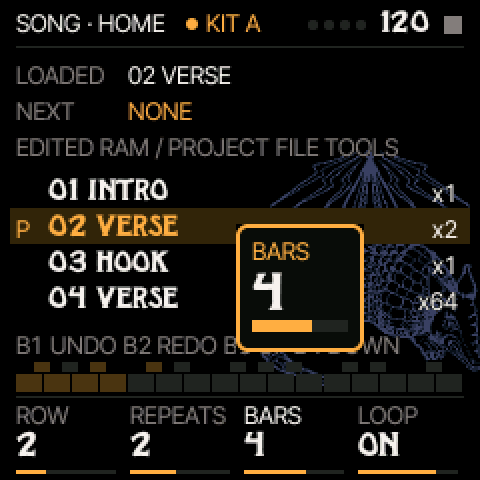
BARS shows a section's length in bars: 4, 1.5, or steps such as 17S when it is not on a beat.
wander
Turn EVOLVE on with REC + LFO. Every EVERY phrases it changes up to AMOUNT of the parts you chose.
home
EDIT captures what plays as home; B2 RETURN goes back to it; B1 FREEZE holds still.
lock
REC + a white key locks that step.
euclid

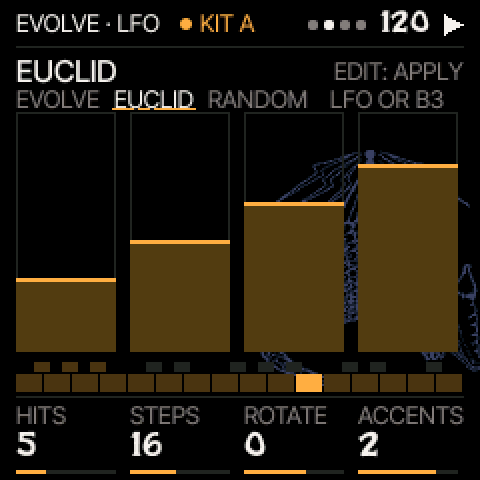
On EVOLVE, LFO or B3 steps EVOLVE, EUCLID and RANDOM. EUCLID spreads HITS evenly over STEPS, turned by ROTATE, with ACCENTS.
On drums the white keys choose the voice it writes.
random

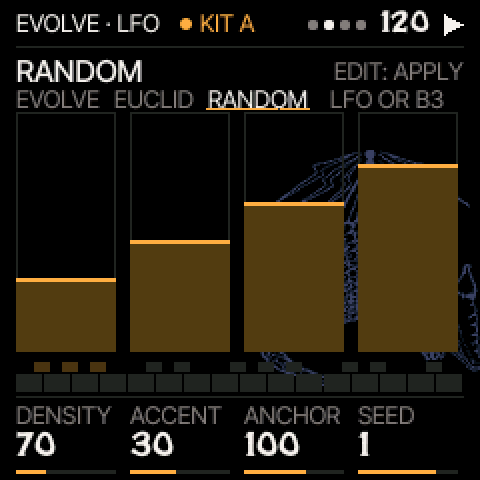
RANDOM writes a pattern from DENSITY, ACCENT, ANCHOR (SLIDE on Dillo) and SEED, 1 to 9999.
apply
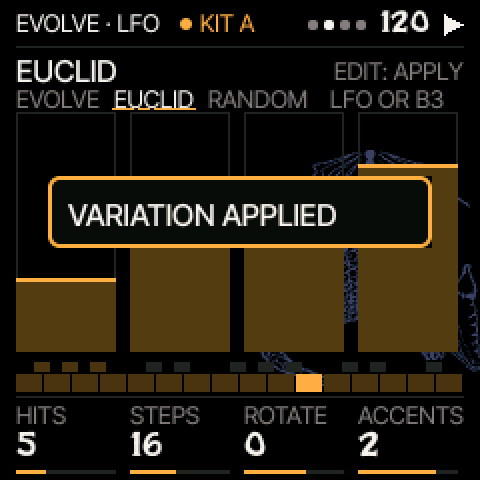
The grey line reads EDIT: APPLY. EDIT applies it on the loop: VARIATION QUEUED / B2 RETURN, then VARIATION APPLIED. B2 returns home.
move one hit
On STEPS, hold an occupied drum step and turn K2. NUDGE moves the whole hit, including its ratchet, from −8/16 early to +7/16 late. Empty steps are refused.
release and undo
The value stays private while you turn. Release the step to queue one edit; NUDGE APPLIED / REC+EDIT UNDO confirms it. REC + EDIT restores the previous timing.
ratchet

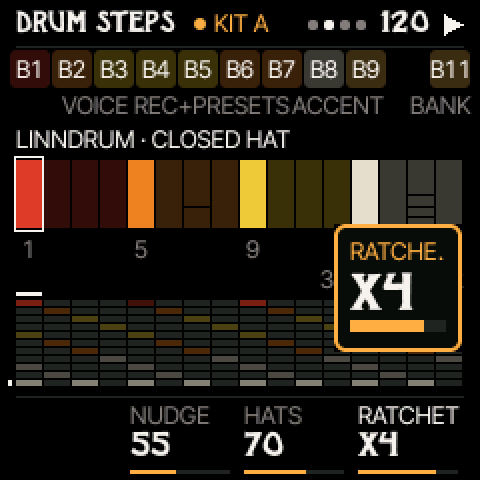
Hold a drum step and turn K4: the step plays 1 to 4 times. Let go without turning and the key just toggles the step. The ticks show the count.
BUILD makes a USER kit for KIT A from the voices of the installed machines: each of 17 lanes takes its sound from any kit.
1build
Select KIT A, open KIT and press B1: KIT BUILD.
2pick a lane
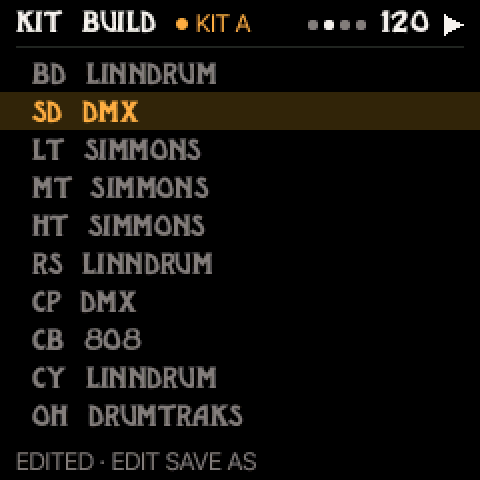
Keys 1–11 and B2–B7 choose a lane and play it.
3shape it
PRESETS chooses the lane's kit; K1–K4 LEVEL, TUNE, DECAY, VOICE.
4save as
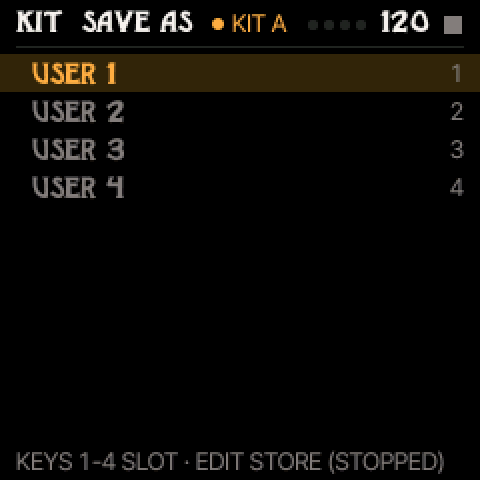
EDIT opens SAVE AS; keys 1–4 choose USER 1–4.
5store
Stop, then EDIT: STORING USER KIT, then USER KIT STORED.
6play it
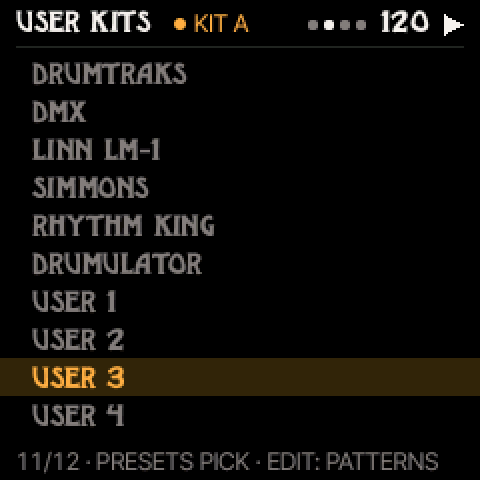
USER 1–4 sit at the end of KIT A's list; load one like any kit. HOME steps back: SAVE AS, BUILD, the list.
good to know
USER kits play on KIT A. A lane whose kit is not installed plays the 808: KIT NOT INSTALLED · 808 STANDS IN.
Scenes keep KIT A's USER kit with them.
choose a machine
Each drum list offers 808 and the seven sampled machines. The status strip says MACHINES; on KIT A it changes to USER KITS when the cursor reaches USER 1–4.
store
Stop, press SAVE, choose a scene with 1–4 and press EDIT: SAVED / FLASH VERIFIED.
REC + SAVE stores to the current scene from any page.
load
On SAVE, stopped, REC + key 1–4 loads that scene: LOADED / PRESS PLAY.
other data
A scene holding another firmware's data reads SCENE 4 HAS OTHER DATA and is never loaded. To replace it, hold SAVE for two seconds on that scene.
the band clock
A queued song keeps the playing tempo and swing until the bar, then brings in its own clock with all three parts. Replacing a single drum pattern in Big Beat keeps the band’s current tempo and swing.
tempo
REC + SELECT turns the tempo; REC + GLO taps it; GLOBAL K1 sets 30 to 300 BPM.
swing
On drums SCL switches swing on and off; GLOBAL K2 sets it from 50 to 75 %.