Every page uses the same frame: a status bar on top, the page in the middle, the key map and the four knobs at the bottom.
The screens in this guide are drawn by BB1's own display code.
Most pages share one frame: a status bar on top, the page in the middle, the key map and the four knobs at the bottom. RHYTHM CONDUCTOR and the chooser lists use the whole screen.
play
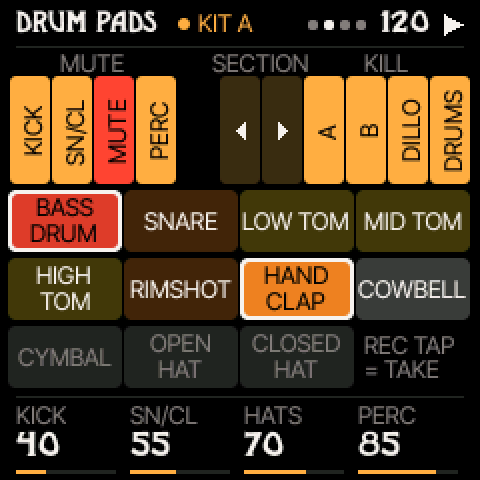 12345678910
- 1 page and the control that opens it
- 2 the active instrument or local player, in its colour
- 3 beat dots
- 4 tempo in BPM
- 5 play or stop
- 6 what you are choosing or setting
- 7 grey line: what EDIT does, or the state
- 8 the page itself: steps, lanes or meters
- 9 key map: every key lit as its light is, bright, half-lit, pulsing or off; the key legend shows here for about 2 s
- 10 the four knobs: name and value
perform
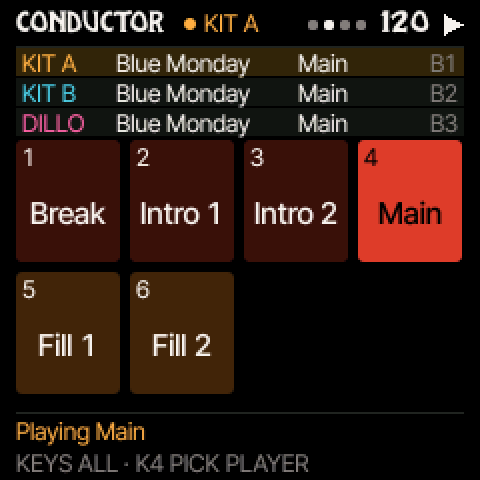 123456
- 1 RHYTHM CONDUCTOR, the bandleader screen
- 2 the song and section currently playing on each player
- 3 {K1} KIT A, {K2} KIT B and {K3} DILLO are the three mixer levels; {K4} SCOPE chooses ALL, KIT A, KIT B or DILLO. {B1} {B2} {B3} only mute or solo. When a section is queued, every part that will move pulses here.
- 4 one button per section, on white keys {1}–{16}: dark = ready, full colour = playing, pulsing outline = next
- 5 what is playing, or the name of the queued section even after you change pages. ALL NEXT means Kit A, Kit B and Dillo will move together
- 6 the section-key shortcut and how to pick or redirect one player
a chooser list
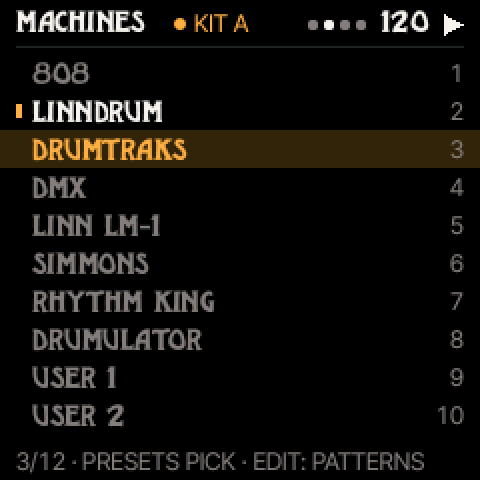 12345
- 1 page and the control that opens it
- 2 ten rows; the highlighted row is the cursor
- 3 the mark: what is playing now
- 4 the white key that picks the row
- 5 which of how many, and what {EDIT} does or what is waiting
knob name and value

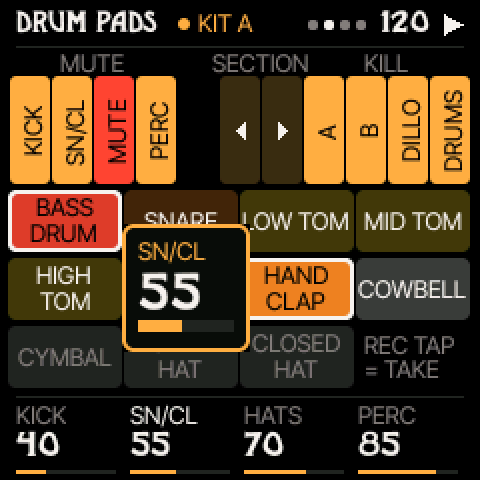
Turn a knob and its name and value show over its column for about a second, on every page.
key legend
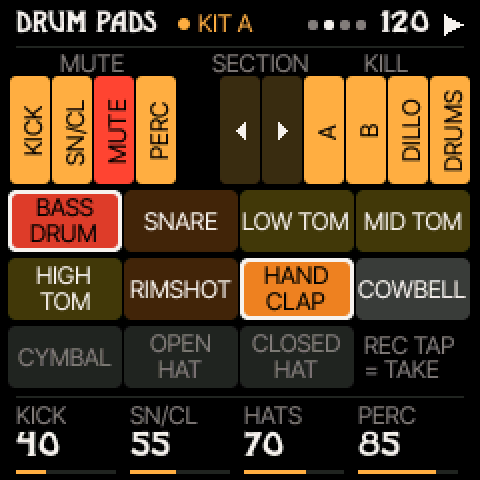
Enter a page, or press a key that has no job there, and a one-line key legend shows for about two seconds. B1–B11 are the black keys.
queued, then applied
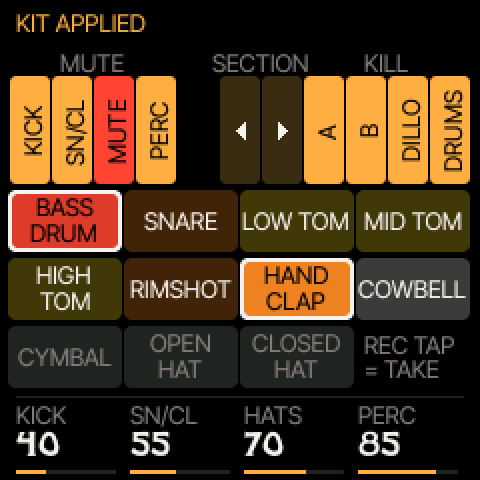
A change waits for the next bar: its key pulses and the screen says QUEUED. When the music has it the key turns bright and the screen says APPLIED. On a playing page, that short message briefly replaces only the top status strip, leaving the instrument controls visible below.
hold home
Hold HOME on any page, SONG and MIDI included. The lights stay on and the help lists what each lit key, button and knob does here. Let go to return.
OCT− OCT+ turn the help pages; the page count shows top right.
press to explain
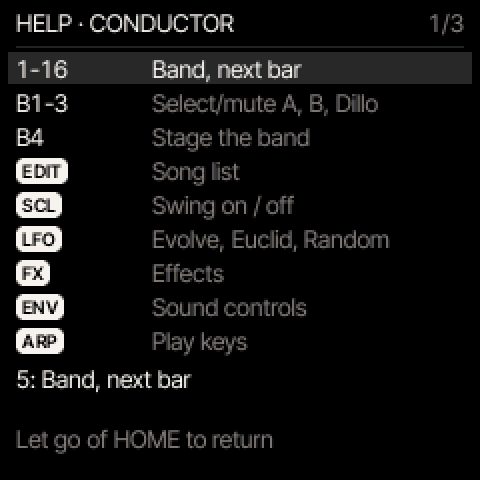
Keep holding HOME and press any key or button, or turn a knob: its row is picked out and the bottom line says what it does. Nothing else happens.
PLAY still starts and stops.
hold rec
Hold REC on its own for a moment to see this page's REC chords; the lights and the key legend switch to what each key does with REC. Any button, key or knob hides the help and works as usual.
attract

Leave RHYTHM CONDUCTOR alone for 30 seconds while playing and Dillo the armadillo takes over the screen. Press anything to bring the page back.
colours
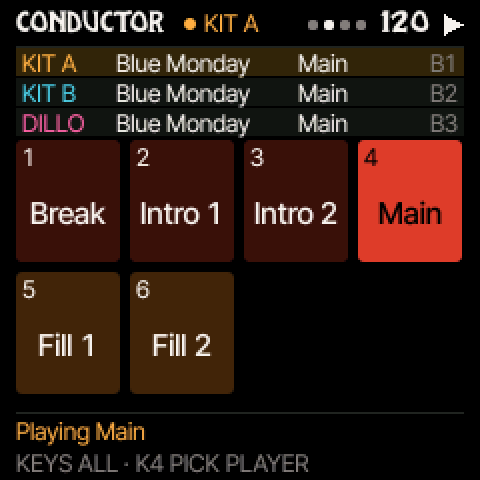
KIT A is orange, KIT B is blue and Dillo is pink, on every page and lane.