Let's play a song with the whole band, move it section by section, then add a machine, a sound, echo and a saved scene.
Then write steps of your own.
1volume down
Turn MASTER down. Start low.
2the song list
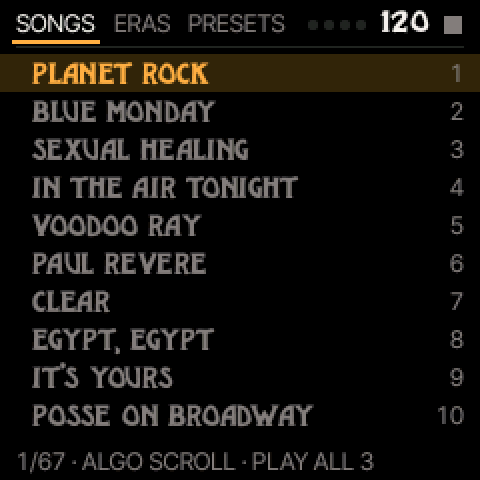
Switch on: BB1 opens on the welcome card. Press EDIT for the song list. From a playing page, press HOME, then EDIT.
3pick a song
Turn ALGO or press a white key 1–16. OCT− OCT+ turn the list page.
4play it
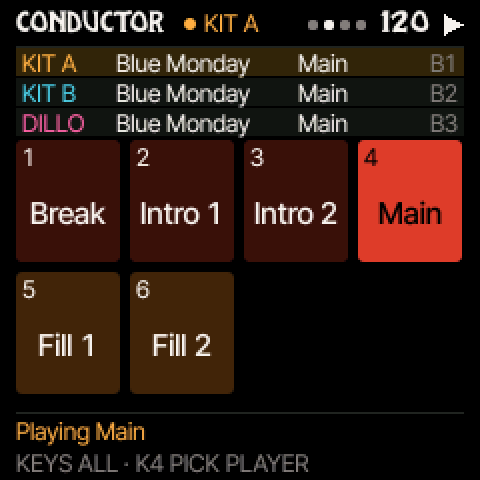
Press PLAY, then bring MASTER up. KIT A, KIT B and Dillo play the song together, with its own tempo and swing, and RHYTHM CONDUCTOR shows its sections.
5mute one
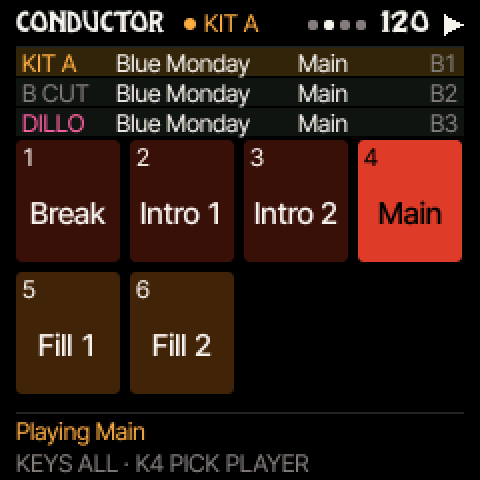
Press B2: KIT B mutes and its row reads B CUT. Press it again to bring it back.
6move the band
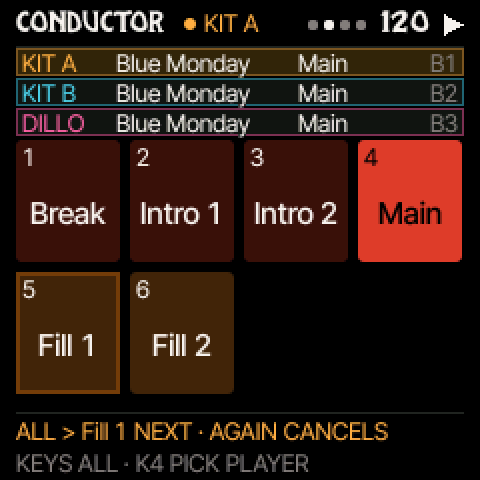
Press a white key: the whole band moves to that section on the next bar. Until then its button and key pulse.
7mix and scope
K1, K2 and K3 mix DRUM A, DRUM B and DILLO. K4 chooses the visible section scope: ALL, KIT A, KIT B or DILLO.
8a second machine
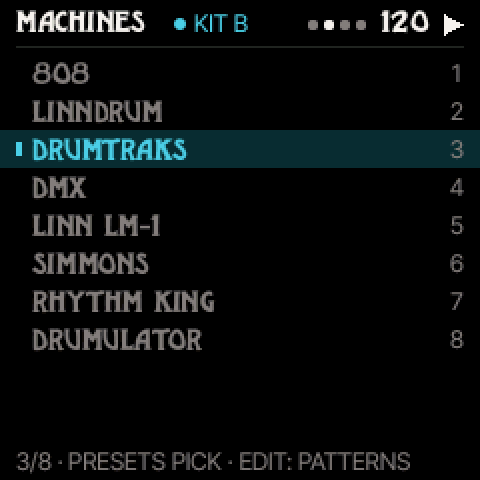
Tap HOME, turn SELECT to BIG BEAT and press the black key B5 marked A/B to select KIT B. If it is off, hold REC and press ARP to enable it. PRESETS, EDIT, ALGO, EDIT chooses and applies its machine and pattern without replacing KIT A.
9dillo's sound
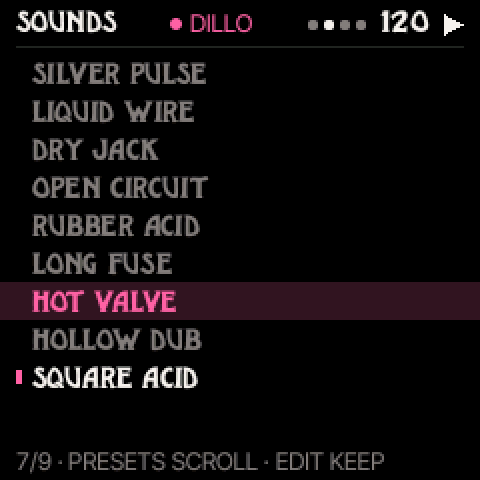
Tap HOME, turn SELECT to DILLO, then turn PRESETS while you play the keys: each sound arrives when you stop turning.
10echo
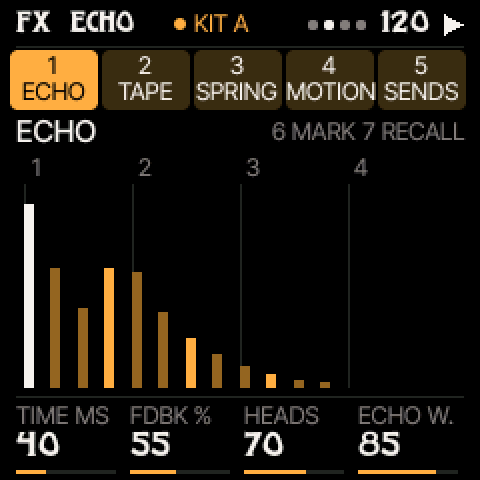
Press FX. K4 is ECHO WET: how much echo you hear.
11throw it
Hold REC and hold FX: the echo opens while you hold, then snaps back.
12keep it
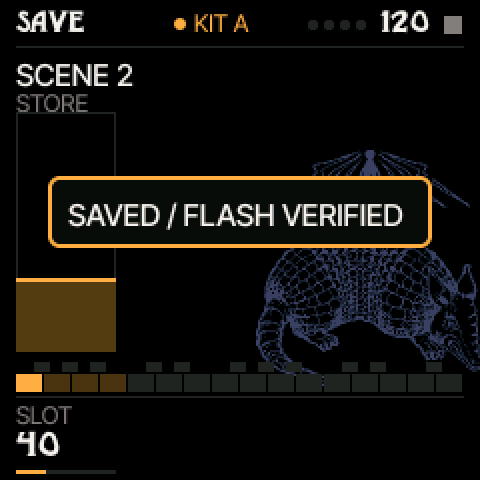
Stop, press SAVE, pick a scene with keys 1–4 and press EDIT: SAVED / FLASH VERIFIED.
From the welcome screen, turn SELECT straight to BIG BEAT. From another page, tap HOME first. The first eleven white keys play the pads right away, even with playback stopped. Try a few sounds before opening SEQ.
On a computer keyboard, hold Shift and press Up or Down to turn SELECT. From HOME, use it to move between RHYTHM CONDUCTOR, BIG BEAT and DILLO. Press / for SEQ and H for HOME.
In the browser, choose Open drum pads from the welcome screen to jump straight to Big Beat. On a phone, the shortcut brings the audio control or the first pads into view. If browser volume is at zero, choose Enable pad audio to set it to 20%. Tap a pad or press PLAY to start sound. Use Enable sound if the browser asks, and bring up the volume if it is at zero. On a phone, SELECT sits under the screen and the other encoders sit below the keys. On the FM-1, bring MASTER up gently.
1steps
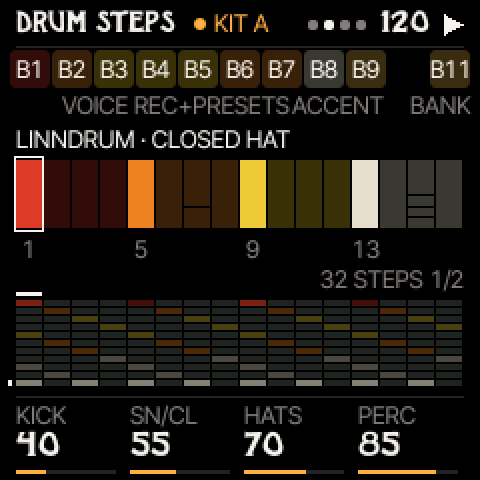
Press SEQ. The 16 white keys switch steps 1–16 on and off for the selected voice, even with playback stopped. Tap HOME to return to the pads.
2voice
Black keys B1–B8 choose KICK to HIGH CONGA; REC + PRESETS reaches every voice.
3accent
Hold B9 while you set a step to accent it.
4ratchet
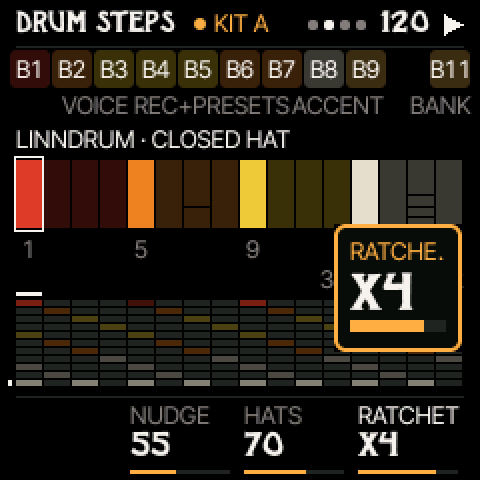
Hold a step key and turn K4: that step repeats x1 to x4. K4 reads RATCHET while you hold.
5nudge
Hold an occupied drum step and turn K2: NUDGE moves that hit from −8/16 to +7/16 of one step. Release the key to queue the change.
6more steps
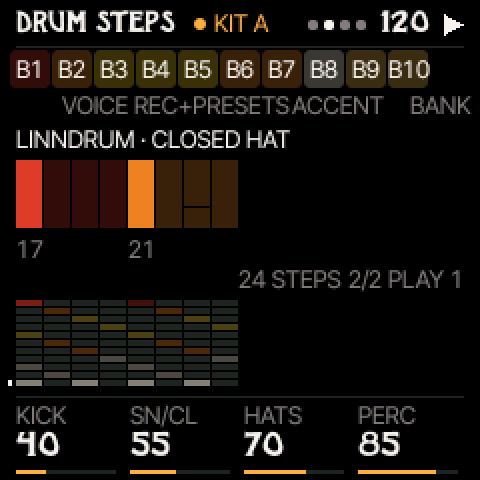
OCT− OCT+ or B10 B11 move between 16-step banks; a pattern has up to 64 steps. The numbers under the step keys show their positions in the full pattern. PLAY 1 means playback is in bank 1 while you edit another bank.
7undo
Use REC + EDIT to undo a step edit on the startup drum grid or a loaded catalogue pattern. On the startup grid, Undo restores the hit and its accent.
keep your beat
In the browser, stop playback and choose Save project to keep the drum steps in a .bbp2 file. Use Open project to bring the beat back, then return to BIG BEAT and press SEQ.