BB1 starts on a welcome card, ready to play.
The browser installer lists supported starting versions and links to backup and recovery instructions.
first screen

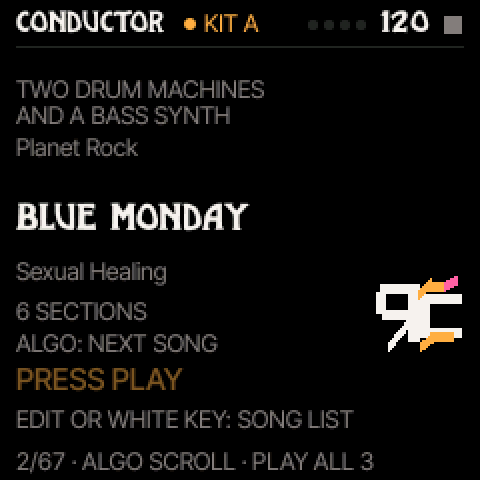
The welcome card starts with Planet Rock. Turn ALGO to choose a song. EDIT or a white key opens the full list; there ALGO or white keys 1–16 select an entry; B5 B6 B7 switch between SONGS, ERAS and PRESETS. The bottom line says what PLAY will do.
then
Press PLAY: KIT A, KIT B and Dillo load the song together, it starts, and RHYTHM CONDUCTOR shows its sections.
before you click
Use desktop Chrome on a computer and a USB data cable plugged straight in.
Stop playback, turn MASTER fully down and close other music apps.
verify recovery first
Before writing, verify that this FM-1 enters ROM mode and appears over USB as 4C4A:8057. The recovery route must work independently of the installed application.
Make two matching full-flash backups from independent reads and verify a compatible restore path before continuing.
install BB1
Open the installer to install the firmware and its matching sound library.
Keep the FM-1 plugged in and powered on while it is writing.
After updating, check ROM access again and confirm a normal boot.
flash-chip preflight
On a BB1 version that can report it, the installer reads the exact flash-chip ID before sending a sound-library command. It recognises 0x856014 and 0xB36014.
An unverified flash chip stops the sound-library step before any library bytes are written. The firmware update has already finished.
Older BB1 versions may not provide this receipt. RECEIPT UNAVAILABLE is not proof of compatibility: the firmware's own flash allow-list remains the final write gate.
a matched pair
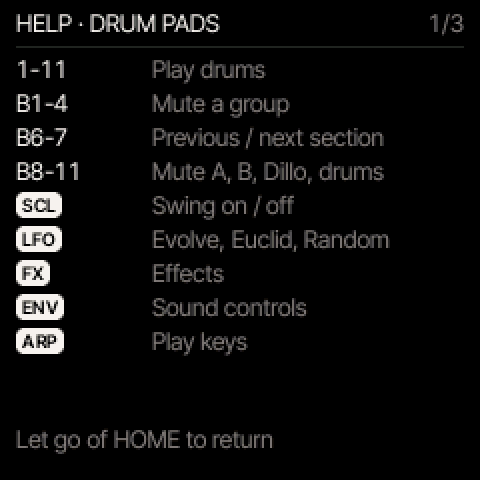
The firmware and its sound library are installed as a pair. The library holds the sampled machines and the help texts.
If the help texts are missing or from another library, help pages read HELP UNAVAILABLE. Every control still works.
Reinstall from the installer page to put the matching library back.
another firmware
The installer can put the official FM-1 firmware back. Keep a backup made with the firmware you plan to return to.
The official firmware cannot open BB1 music: save the projects, scenes and USER-kit information you need first, as the installer page's backup checklist says.