Big Beat Studio BB1, BB1 for short, turns the FM-1 into two drum machines and Dillo, an acid bass synth, playing together through tape echo and spring.
Every button opens one page. The four knobs always do what the bottom of the screen says. HOME brings you back to the selected instrument; hold it and the screen explains every lit key on the page you are on.
A key that is lit does something here; a dark key does nothing.
the unit
An M-VAVE FM-1 with BB1 installed. Chapter 3 shows how to install it.
a computer
Desktop Chrome on a computer, and a USB data cable plugged straight into it. Only the installer needs these.
headphones or speakers
Start with MASTER turned fully down, then bring it up once something plays.
three instruments
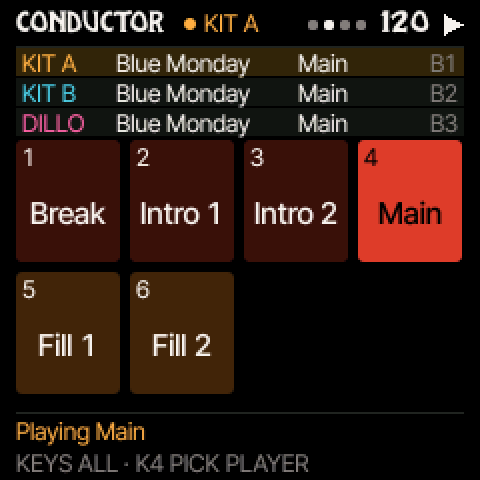
RHYTHM CONDUCTOR plays KIT A, KIT B and Dillo as one band, but still lets one player take a different section.
BIG BEAT is the drum machine: KIT A with an optional KIT B layer. DILLO is the monophonic acid bass, with its own playable screen.
the library
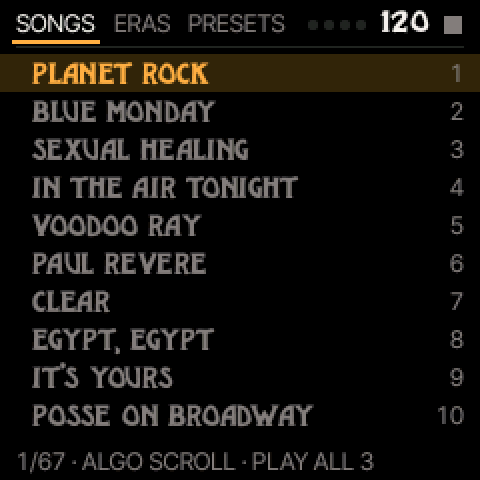
SONGS: 67 named songs. PRESETS: the four Roland rhythm machines, CR-8000, CR-78, TR-66 and TR-77, with 138 rhythms. ERAS: 21 eras with 168 parts. ACID: 27 banks with 205 phrases for Dillo, on Dillo's PATTERN page.
Eight drum machines and four USER kits of your own; nine Dillo sounds.
Chapter 15 lists all of it.
press play
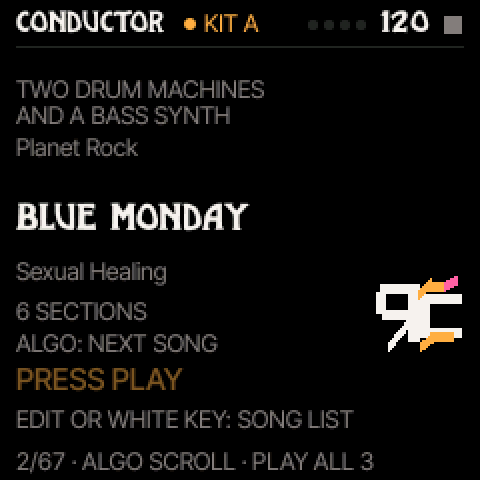
The welcome card offers a song. Turn ALGO for the next song, then press PLAY to start the band and open RHYTHM CONDUCTOR. EDIT or a white key opens the full song list.
If you try Big Beat or Dillo before playing a song, turn SELECT back to Rhythm Conductor to see your selected song again.
get started
In a hurry? Chapter 8 plays a song with the whole band, then builds a beat of your own.