Tap HOME, then turn SELECT: RHYTHM CONDUCTOR, BIG BEAT and DILLO are three clear musical destinations. The screen changes with the instrument.
Changes land on the bar, so you can line up the next one while this one plays.
rhythm conductor
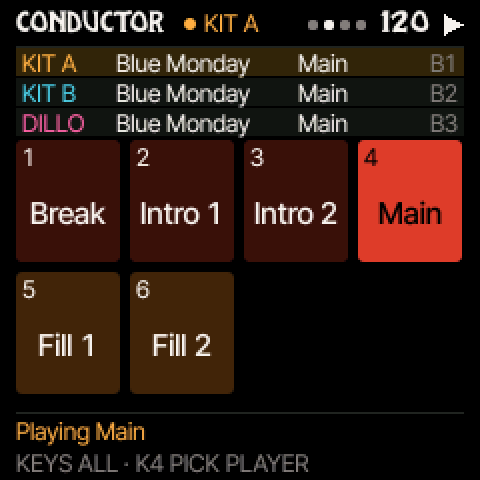
RHYTHM CONDUCTOR is the bandleader view: all three players, the song sections and the next-bar cue in one place.
K4 SCOPE chooses ALL, KIT A, KIT B or DILLO without muting anything. White section keys cue all three. Hold REC while pressing a section key to redirect the player picked with K4. HOME restores ALL. B1 B2 B3 mute, or solo with REC.
big beat
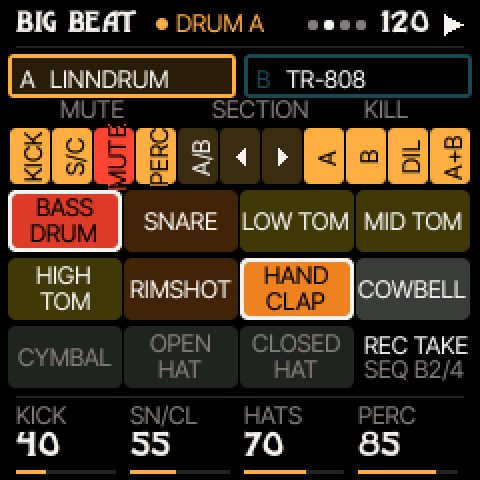
Play the white pads on the highlighted drum deck. Press black key B5, marked A/B, to switch decks. PRESETS opens drum kits, ALGO opens patterns and SEQ opens steps.
dillo
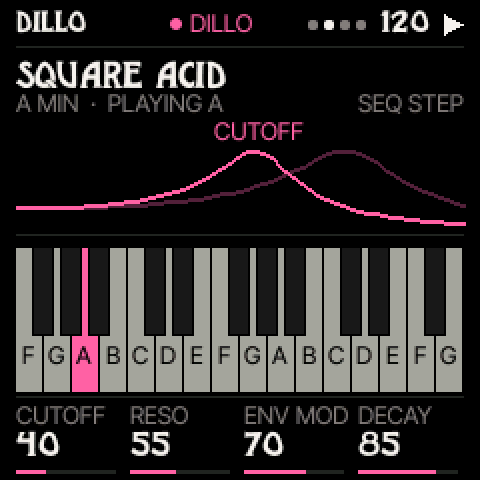
DILLO has its own live acid-bass screen. Its keys, filter, patch and pattern controls are immediately visible instead of hiding behind a drum focus outline.
PRESETS opens sounds, ALGO opens ACID phrases and SEQ opens Dillo steps.
play the second kit
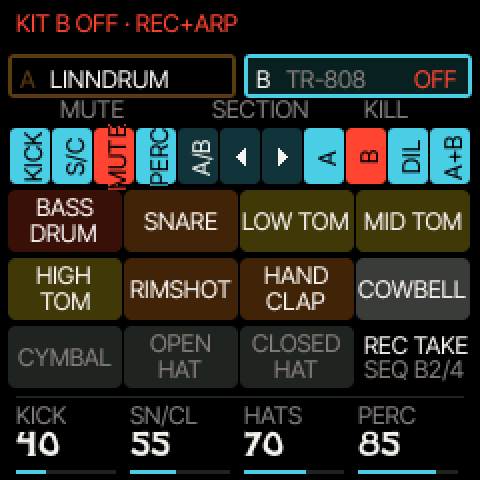
In Big Beat, press B5 to select Drum B. If the screen says KIT B OFF, hold REC and press ARP. Play the white pads to hear the second kit. Press B5 again to return to Drum A. In the browser, you can also choose Enable Drum B in the sound notice below the display.
one song for the band
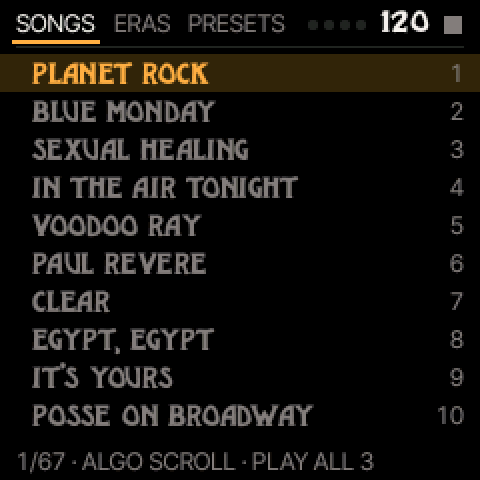
On the song list, PLAY always loads the song on KIT A, KIT B and Dillo together. It starts when stopped and keeps playing when already running. EDIT loads all three without starting: at once when stopped, on the next bar when playing.
one key moves the band
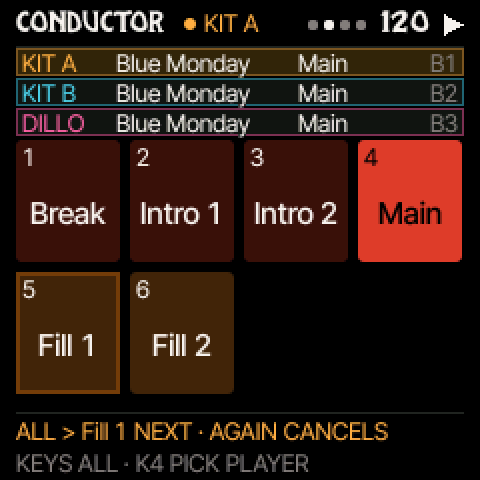
On RHYTHM CONDUCTOR each white key is a named section. The phone player names the same sections on its touch keys. One press moves the whole band to it on the next bar.
mixed songs
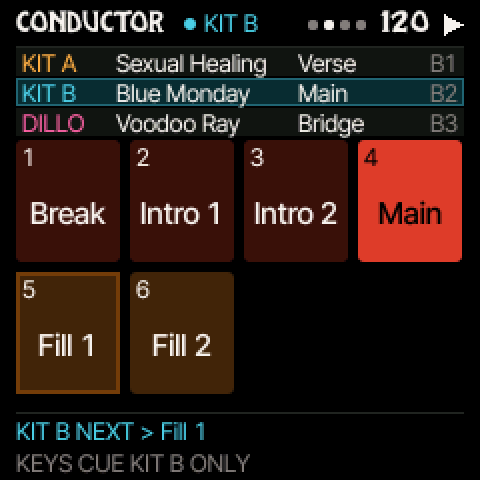
Each row shows its own song and section. A redirect moves one player. The next plain section press brings all three back to the band’s song. When the rows show different songs and no cue is pending, CUE SONG names the song behind the section keys. Within a split song, the status names the focused player’s section. OTHERS VARY means the other two are on different sections.
change your mind
While a single-player redirect is waiting, press a section key without REC to replace it with a whole-band cue. Once the bar has turned, cue the band again to bring it back together.
Press PLAY to stop playback and discard a waiting cue. Starting again keeps the parts that were already playing.
choose a kit
Turn PRESETS, then press EDIT. BB1 moves to PATTERN: CHOOSE PATTERN / EDIT: CHOOSE.
confirm the pattern

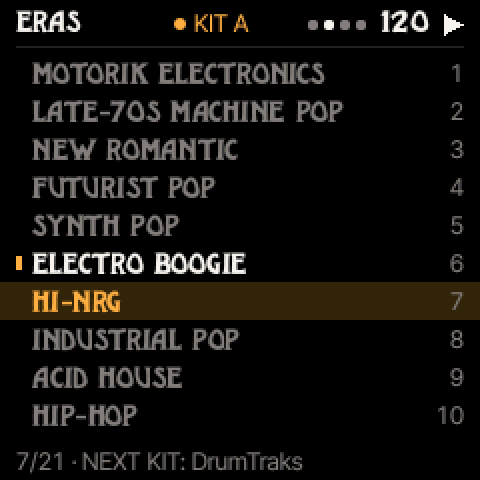
Press EDIT on PATTERN. The kit and the pattern arrive together on the next bar: KIT QUEUED, then KIT APPLIED.
next up
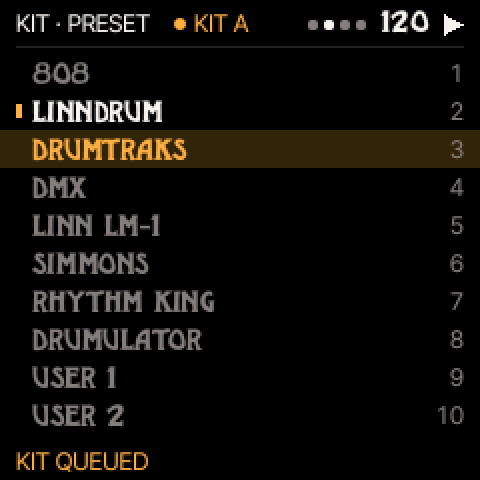
Until then the bottom line reads NEXT KIT: and the kit's name.
your own copy
The first step you change in a library pattern makes an editable copy; the original stays in the library.
undo
REC + EDIT on PLAY or STEPS undoes the last edit or kept take, up to eight back.
scenes
SAVE keeps the whole setup in one of four scenes (chapter 11.8).
songs
SONG, on GLO white key 4, arranges sections into a song. It lives in memory: once you change it the grey line reads EDITED RAM / PROJECT FILE TOOLS.